
Google Maps more than 10 stops: how to plan a route with 50–200 addresses
Google Maps lets you add up to 9 stops to one route, including the final destination, so 10 places with the start. It keeps the stops in the order you enter them. For 50 or 200 addresses there are three ways: cut the list into chunks, use Google My Maps, or use a route planner.
How many stops Google Maps allows
Google's help page says it in one line: "You can add up to 9 stops, which includes the final destination." The limit is the same on a computer, on Android and on iPhone. With the starting point, that makes 10 places in one route.
- The order is yours. Google Maps drives the stops in the order you list them. To change it, you drag the stops by hand. Google's help describes no option to optimise the order.
- No departure time. Setting when you leave or arrive "only works for routes with one destination".
- Links carry fewer stops. A Google Maps link holds up to 9 stops, and only 3 when it opens in a phone's browser.
- No public transport or flights on routes with several stops.
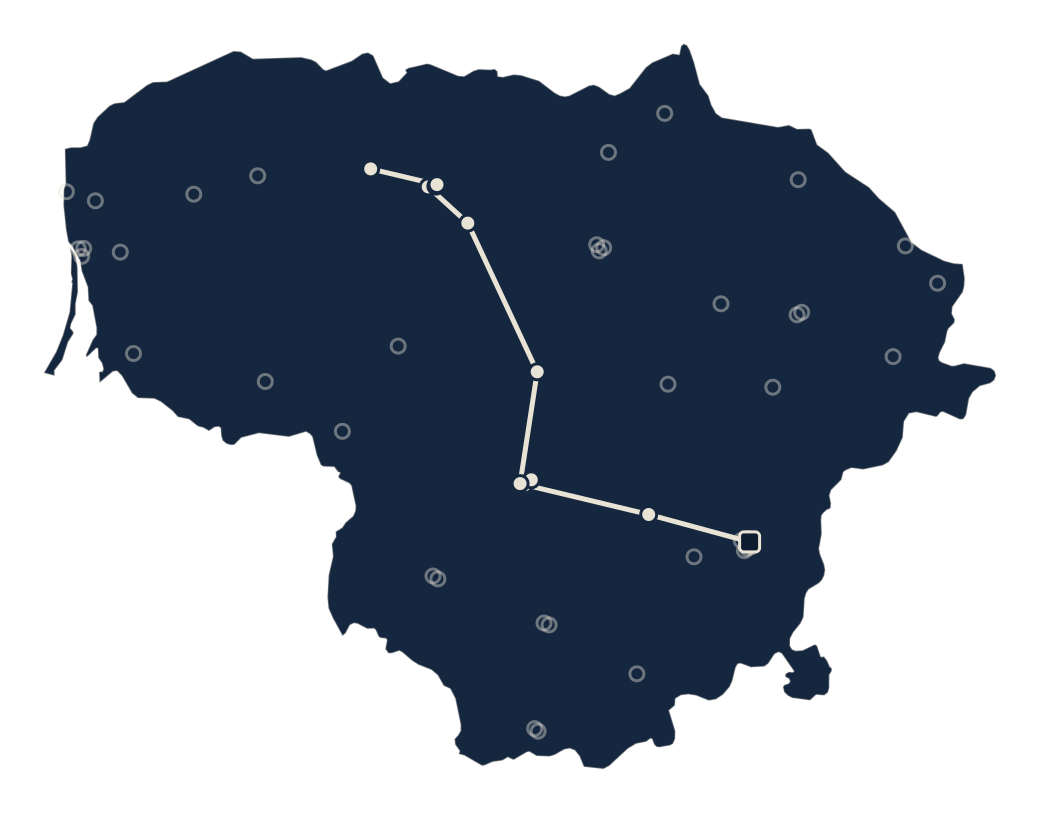 The depot and 9 stops fit in one route. The other 40 addresses of the week need another 5 routes, and the order is up to you.
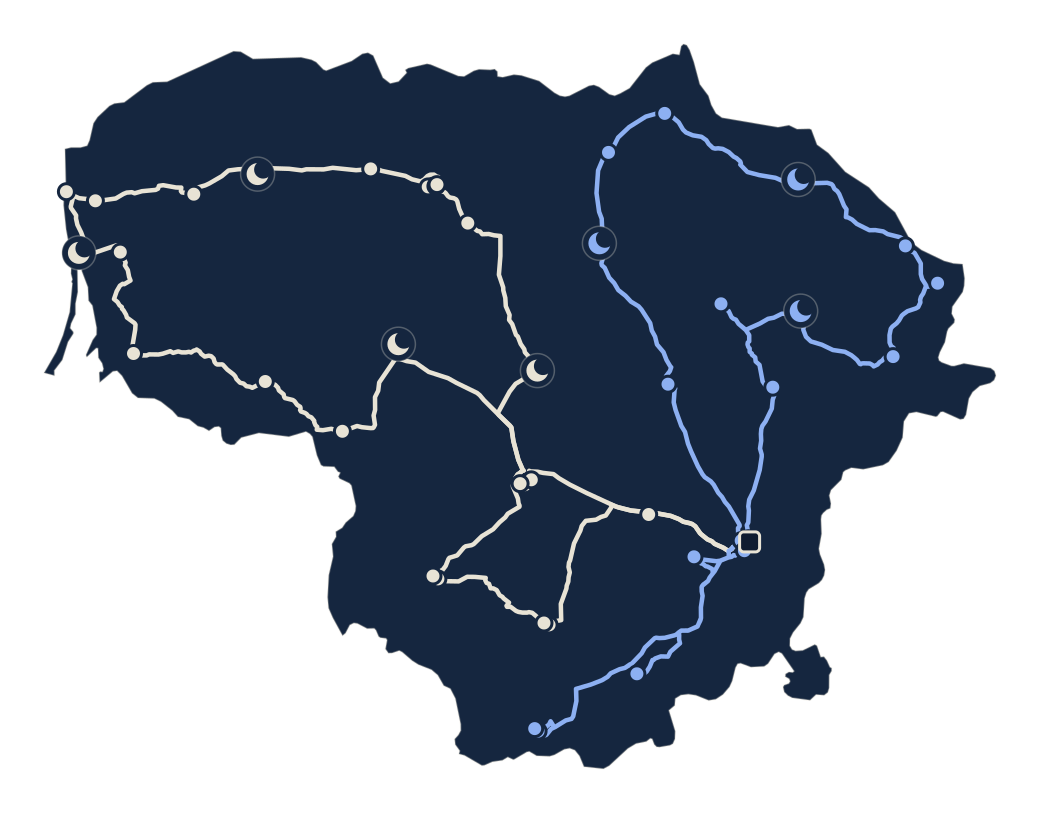 The same 49 addresses for 2 crews over 5 days. Each stop on the day sheet links to Google Maps and Waze.
Way 1: cut the list into chunks of 9
- Sort the listIn Excel, sort the addresses by town or postcode so neighbours sit together.
- Enter 9 stopsType the first 9 addresses into Google Maps and drag them into a sensible order.
- Start the next chunk where the last one endedThe last stop of one route becomes the start of the next. Repeat until the list runs out.
It's free and works for a few dozen addresses. But 180 addresses means 20 routes, the order is chosen by eye, and Google Maps doesn't tell you which day each chunk belongs to or whether a crew finishes before the end of the working day.
Way 2: Google My Maps
Google My Maps takes a spreadsheet. You import a CSV or XLSX file of up to 2,000 rows, and every address appears on the map. A map can have up to 10 layers, so you can split the addresses by crew or day, and each layer holds up to 2,000 places. Your recent My Maps also show up in Google Maps under your saved maps, and you can print the map.
The limits: directions in My Maps are still built leg by leg, the order is still yours to choose, and nothing works out working hours, days or overnight stays.
Way 3: a route planner
Route planners take the whole list and put the stops in order for you. Free plans have their own limits: RouteXL's free plan, for example, allows up to 20 stops per route. Most planners are built for one driver and one day, often for courier deliveries.
If you plan routes for crews, whether one van for a day or several crews for a week, that's what Vanplan is for. You upload the list from Excel, and Vanplan:
- checks for free whether the work fits the days and crews;
- splits the stops between up to 3 crews and 7 days, by your territories and working hours;
- on trips longer than a day, suggests where to stay overnight;
- gives each crew a day sheet where every stop links to Google Maps and Waze, so the 10-stop limit never comes up.
What about Google's newer features?
Since 16 November 2026, Ask Maps, Google's Gemini assistant in Google Maps, can draft a day-by-day trip itinerary on Android and iOS, and it is rolling out across Europe. It is built for travel plans. Google describes no way to load a list of addresses into it, and no crews or working hours.
Google's paid developer services go further. The Routes API takes up to 25 stops per request, and the Route Optimization API plans several vehicles with time windows. Both need a Google Cloud billing account and a developer to write the code.
Which way to choose
| Your situation | What works |
|---|---|
| Up to 10 places, one day | Google Maps on its own |
| A few dozen addresses now and then, one driver | Chunks of 9, My Maps, or a free route planner |
| Crew routes every week or month: dozens or hundreds of addresses, time spent at each stop, one day or several | Vanplan |
Common questions
Does Google Maps optimise the order of stops?
No. Google Maps drives the stops in the order you list them, and you change the order by dragging. Google's help describes no option to optimise it.
How many stops can I add in Google Maps on my phone?
The same as on a computer: up to 9 stops, including the final destination. On a phone you edit them under More, then Edit stops.
How do I get addresses from Excel into Google Maps?
You can't load a file into the directions screen. You can import an Excel or CSV file into Google My Maps, up to 2,000 rows per file: the addresses appear on the map, but the route is still built a few stops at a time.
Can Waze take several stops?
Waze lets you add one stop per drive. For another stop you start a new drive.
Sources
See your routes in Vanplan
In a 30-minute demo we plan one of your usual trips. No time for a call? Send us your list of stops and we'll plan your first trip for free.